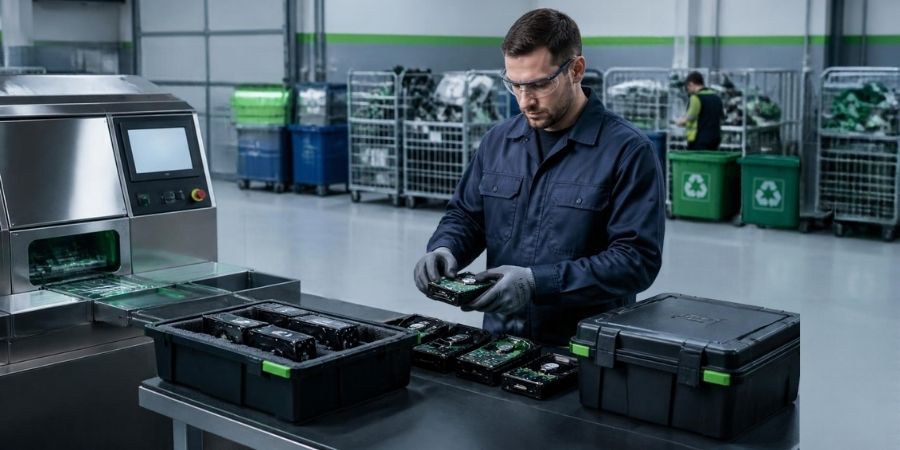
When a company replaces old computers, sells used laptops, or sends outdated IT equipment for recycling, one important question often gets overlooked: What happens to the data stored on those devices?
Deleting files may make a computer appear empty, but it does not necessarily mean the information has been permanently removed. Business documents, customer records, financial reports, employee information, saved passwords, and other sensitive files may remain recoverable from a storage device even after files have been deleted.
This creates a risk for businesses, educational institutions, healthcare organisations, and individuals who handle confidential information.
Proper hard drive data destruction helps reduce that risk before equipment is reused, resold, donated, or sent for recycling. Understanding how data remains on storage devices, which destruction methods are available, and when professional support is useful can help you make safer decisions when disposing of old IT equipment.
What Is Hard Drive Data Destruction?
Hard drive data destruction is the process of making information stored on a storage device inaccessible and unrecoverable using an appropriate, verified method.
It is more than deleting documents or emptying the recycle bin. The objective is to prevent unauthorised people from retrieving sensitive information after a computer or storage device leaves the owner’s control.
For example, imagine an office replacing 50 computers. The IT team deletes user accounts, removes documents, and resets the machines before handing them over for recycling. If the storage devices have not been properly sanitised, some information may still be recoverable.
A secure data destruction process considers the type of storage device, the sensitivity of the information, and what will happen to the equipment next.
Common approaches include:
- Data sanitisation: Using an appropriate process to make previously stored information unrecoverable.
- Secure data wiping: Applying a suitable software-based method to sanitise supported storage devices.
- Physical destruction: Mechanically destroying a storage device when reuse is not required or when the risk assessment calls for physical destruction.
The right method depends on the device, the data involved, and the intended outcome. A process suitable for one type of drive may not be appropriate for another.
Why Is Deleting Files Not Enough?
Deleting a file usually removes its reference from the file system rather than immediately erasing every underlying data element. The space that the file occupied may then be made available for new data.
Until that space is overwritten or the storage device is properly sanitised, data recovery may still be possible.
Think of a file directory as an index in a book. Removing an entry from the index does not necessarily remove the information from the pages themselves. Ordinary file deletion can work in a similar way.
Several common actions can create a false sense of security.
1. Emptying the Recycle Bin
When a user deletes a file and empties the Recycle Bin, the file may no longer appear through normal browsing. However, this action alone is not a reliable data sanitisation method.
Recovery tools may be able to retrieve some deleted information, depending on the storage device and what has happened since deletion.
2. Formatting a Hard Drive
Formatting prepares a drive for use by creating or rebuilding file-system structures. A quick format does not necessarily overwrite all the data stored on the drive.
Some formatting or erase procedures provide stronger protection than others. The important distinction is whether the selected process actually meets the required sanitisation standard, not simply whether the drive has been formatted.
3. Performing a Factory Reset
A factory reset can remove user settings, applications, and accessible files. However, its effectiveness for data sanitisation varies by device, operating system, storage technology, and reset method.
Businesses should not assume that every factory reset securely removes all sensitive information.
4. Deleting Files Manually
Deleting documents one by one is time-consuming and does not address every place where information may remain. Temporary files, application data, local backups, and other stored information can be overlooked.
For organisations disposing of multiple devices, a consistent sanitisation procedure is much more dependable than relying on individual users to clean their computers.
Why Does Secure Data Destruction Matter for Businesses?
A discarded hard drive can contain much more than old office documents. It may hold customer details, financial records, business plans, internal correspondence, employee information, and access credentials.
If that information reaches someone who should not have it, the consequences can extend beyond the loss of a device.
Protecting confidential information
Businesses have a responsibility to control access to sensitive information. Secure data destruction helps reduce the risk of data exposure when storage devices are transferred, retired, or disposed of.
Reducing the risk of data breaches
An old laptop might be sold through a secondary market, donated to an educational institution, or passed to a recycling partner. If its storage has not been properly sanitised, the next holder could potentially recover information left behind.
A clear data destruction procedure helps address this risk before the equipment leaves the organisation.
Supporting internal policies and compliance
Organisations may need to follow contractual obligations, internal security policies, or applicable data protection requirements when handling information. The precise obligations depend on the organisation, the type of data, and the applicable rules.
Data destruction supports responsible information handling, but it does not automatically make an organisation compliant with every legal or regulatory requirement.
Supporting responsible IT asset disposal
Secure data handling should be part of the IT asset disposition process, not an afterthought. Equipment can be assessed for reuse, refurbishment, resale, or recycling only after the necessary data security steps have been considered.
This allows organisations to manage information risks while making better decisions about the remaining value of their IT equipment.
How Does the Hard Drive Data Destruction Process Work?
A reliable process starts before the drive is erased or destroyed. Businesses should know which devices they are handling, what information they may contain, and what outcome is required.
Step 1: Identify and record the devices
Create an inventory of the computers, laptops, servers, and standalone storage devices being retired. Record identifying details such as asset tags, serial numbers, device type, and assigned department where appropriate.
This makes it easier to track each device through the disposal process.
Step 2: Assess the storage technology
Not all storage devices work in the same way. Traditional hard disk drives (HDDs) store data magnetically on rotating platters, while solid-state drives (SSDs) use flash memory.
This difference matters because certain overwriting techniques that work on HDDs may not reliably reach every physical storage location in an SSD. The sanitisation method should therefore be selected according to the device’s design and available capabilities.
Step 3: Select the appropriate destruction method
The next step is to decide whether the storage device can be securely sanitised for reuse or should be physically destroyed.
Software-based sanitisation may be appropriate when a device is functional and reuse is planned. Some devices support manufacturer-provided secure erase or sanitisation commands. Where sanitisation cannot be verified, the device is damaged, or the risk assessment requires it, physical destruction may be more suitable.
The decision should reflect the required level of assurance rather than convenience alone.
Step 4: Perform and verify the process
Where a sanitisation method is used, the organisation should retain appropriate evidence that the process completed successfully. A device should not be treated as securely sanitised merely because software displayed a completion message without the required checks.
If physical destruction is selected, the method should be appropriate for the storage medium and the information security requirements.
Step 5: Maintain records
Keep records of the devices processed, the method used, the outcome, and any relevant verification or service documentation.
For larger organisations, these records help connect data security with asset management and disposal controls. They can also make internal reviews and audits easier.
Step 6: Reuse or recycle the equipment responsibly
Once the required data security steps are complete, the equipment can be assessed for its next destination. Functional devices may be suitable for reuse or refurbishment. Equipment that has reached the end of its useful life can move into an appropriate recycling and recovery process.
The goal is to protect the information while ensuring that electronic waste is handled responsibly.
HDD vs SSD: Does the Destruction Method Matter?
Yes. HDDs and SSDs use different storage technologies, so the method selected for one should not automatically be applied to the other.
| Feature | HDD | SSD |
| How data is stored | Magnetically on rotating platters | In flash memory chips |
| Secure wiping | Suitable overwriting or supported sanitisation methods may be used | Device-supported sanitisation or other suitable methods may be needed |
| Physical destruction | Must render the data-bearing platters unusable for the intended security requirement | Must adequately destroy the data-bearing memory components |
| Main consideration | Ensure all relevant data areas are addressed | Account for wear levelling, spare blocks, and flash-memory architecture |
For SSDs, wear levelling and internal storage management can make ordinary overwriting less reliable as a complete sanitisation method. A suitable device-supported sanitisation process may provide a better option when available and properly verified.
For both types, the chosen method should match the security requirements and the intended future use of the device.
Common Data Destruction Mistakes to Avoid
Even organisations with established IT procedures can overlook important details when retiring equipment.
Assuming a reset means the drive is clean. A reset is not automatically equivalent to verified data sanitisation.
Using the same method for every device. HDDs, SSDs, removable media, and other storage technologies may need different approaches.
Destroying devices without tracking them. Physical destruction may address data recovery, but poor asset records can still leave uncertainty about which devices were processed.
Sending equipment to an unverified disposal provider. Organisations should understand how their provider handles data-bearing devices and what documentation is available.
Overlooking removable and secondary storage. USB drives, memory cards, external drives, and additional internal storage can contain sensitive information too.
Keeping no record of the outcome. Without appropriate documentation, it can be difficult to demonstrate that the intended procedure was followed.
Best Practices for Secure Hard Drive Data Destruction
Businesses do not need an unnecessarily complicated process, but they do need one that is consistent and suited to their risks.
Start by establishing a written procedure for retiring computers and storage devices. Assign responsibility to the IT or asset management team and make sure staff understand that deleting files is not the final disposal step.
Maintain an asset register and track devices until the required data sanitisation or destruction has been completed. Select methods based on the storage technology, sensitivity of the data, and intended reuse or disposal route.
Where equipment is being transferred to another organisation, verify that data handling has been completed before release. Keep suitable records, and make sure any external provider can explain the process and provide relevant documentation.
Finally, include data security in the wider IT asset disposition plan. Reuse and recycling can conserve resources, but neither should come at the expense of confidential information.
When Should You Consider Professional Data Destruction Services?
Professional support can be useful when an organisation is disposing of many devices, handling sensitive information, retiring servers, or following a formal asset disposal procedure.
It can also help when devices are damaged, the appropriate sanitisation method is unclear, or the organisation needs better tracking and documentation across the disposal process.
BRP Infotech provides data destruction services relevant to organisations managing end-of-life data-bearing equipment. Businesses planning wider equipment retirement can also review IT Asset Disposition (ITAD) services to understand how data handling fits into the broader asset lifecycle.
When evaluating any provider, ask what methods are used, how successful completion is verified, which records are supplied, and how devices are handled after data destruction. Choose an approach that matches your security requirements and disposal responsibilities.
Conclusion: Deletion Is Not the Same as Data Destruction
Deleting files, formatting a drive, or resetting a computer may make information disappear from ordinary view, but these actions do not always guarantee that it is unrecoverable.
Secure hard drive data destruction requires the right method for the storage device, appropriate verification, and records that support the organisation’s disposal process. When combined with responsible IT asset disposition, it helps businesses protect sensitive information while ensuring retired equipment is reused or recycled appropriately.
If your organisation is preparing to retire computers, servers, or storage devices, BRP Infotech’s data destruction services can be a useful starting point for exploring secure handling options.
7. FAQs
1. Can deleted files be recovered from a hard drive?
Yes, in some cases. Ordinary deletion usually removes a file’s reference rather than immediately erasing all its stored data. Recovery may be possible until the relevant information has been overwritten or the device has been properly sanitised.
2. Is formatting a hard drive enough to destroy data permanently?
Not necessarily. A quick format generally does not provide reliable data sanitisation. The result depends on the formatting method, storage technology, and whether a suitable sanitisation procedure has been completed and verified.
3. What is the difference between data wiping and physical hard drive destruction?
Data wiping uses an appropriate process to make stored information unrecoverable while potentially preserving the device for reuse. Physical destruction damages the storage medium so it cannot be used normally. The right choice depends on security requirements and whether the device is intended for reuse.
4. Is SSD data destruction different from HDD data destruction?
Yes. HDDs store information magnetically, while SSDs use flash memory. Because SSDs manage storage differently, conventional overwriting may not reliably sanitise every relevant memory area. The method should be suitable for the specific device.
5. Should businesses destroy hard drives before recycling old computers?
Businesses should ensure that sensitive data is securely sanitised or destroyed before equipment is transferred or disposed of. Physical destruction is not always necessary; an appropriate, verified sanitisation method may be suitable when the device is intended for reuse.
6. What information should a data destruction record contain?
Depending on the process, useful records may include the device serial number or asset ID, destruction or sanitisation method, completion status, verification details, processing date, and relevant service documentation. Organisations should determine recordkeeping requirements based on their policies and applicable obligations.
7. Can hard drives be recycled after data destruction?
Yes. Depending on the device’s condition and the method used, equipment may proceed to reuse, refurbishment, or responsible recycling. Where physical destruction has occurred, the resulting materials can be directed to an appropriate recovery process.