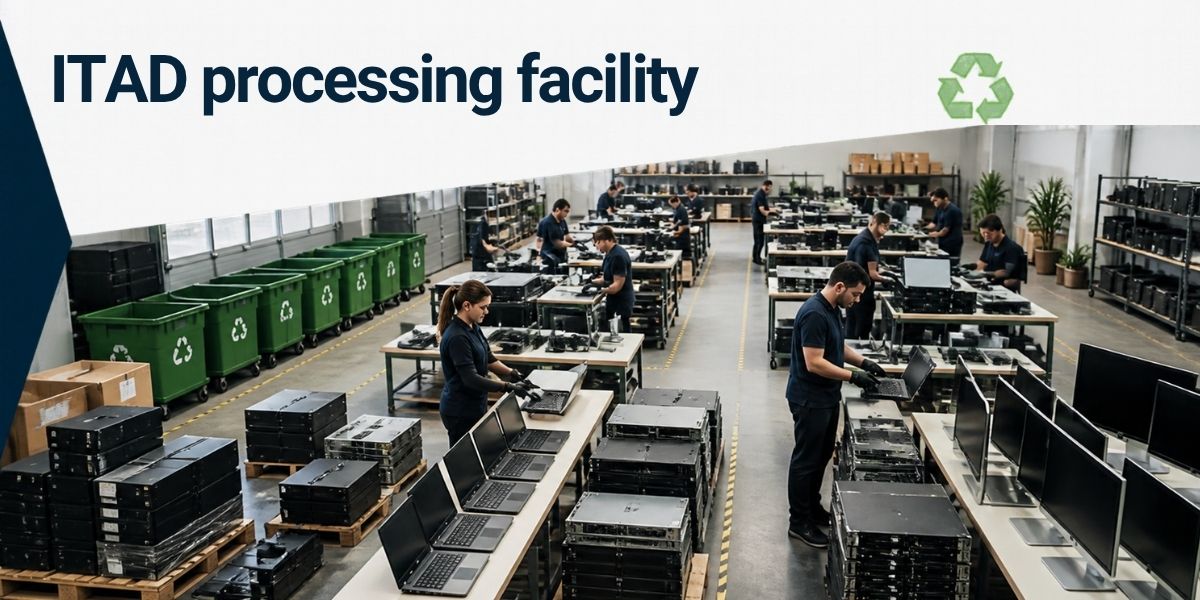
When a business replaces its computers, servers, printers, or other IT equipment, the old devices do not simply stop being a concern. They may still contain confidential information, company records, customer details, or software configurations. Some equipment may also have components that require proper handling and recycling.
This creates two responsibilities for businesses: protecting the information stored on retired devices and ensuring the equipment is disposed of responsibly.
That is where IT Asset Disposition (ITAD) becomes useful. A well-planned ITAD process helps organisations manage old technology from the moment it is taken out of service until it is reused, refurbished, recycled, or otherwise handled through an appropriate route.
Following a few practical ITAD best practices can make this process more secure, organised, and environmentally responsible.
What Is IT Asset Disposition (ITAD)?
IT Asset Disposition, commonly known as ITAD, is the process of managing IT equipment that a business no longer needs or intends to use.
It covers more than simply removing old computers from an office. A proper ITAD process considers the condition of each asset, the information stored on it, its potential for reuse, and the appropriate method of final disposal.
Common IT assets included in this process are:
- Desktop computers and laptops
- Servers and networking equipment
- Hard disk drives and solid-state drives
- Printers, scanners, and office electronics
- Mobile phones and tablets
- Storage devices and other electronic peripherals
Depending on the condition of the equipment, some devices may be suitable for reuse or refurbishment. Others may need dismantling and recycling through appropriate channels.
Businesses can learn more about the process through professional IT Asset Disposition services.
Why Do ITAD Best Practices Matter?
Old IT equipment can create problems when it is removed from service without a clear plan. A computer may appear to be empty after files are deleted, but its storage device could still contain recoverable information. Equipment left in an unsecured storage room may also be difficult to track.
A structured ITAD process helps address these concerns.
1. Protect Sensitive Business Information
Data security should be one of the first considerations when disposing of IT equipment.
Business computers and storage devices may contain employee records, financial information, customer databases, business documents, emails, and access credentials. Even equipment that has been formatted or reset may require further data sanitisation.
Simply deleting files is not always enough to prevent data recovery.
Businesses should decide how information will be securely erased or how storage media will be physically destroyed when reuse is not appropriate. The method should match the type of device, its condition, and the organisation’s security requirements.
For this reason, data destruction should be planned before equipment leaves the organisation’s control.
2. Maintain Control Over Retired Assets
A business may have hundreds or thousands of IT assets across different offices. Without proper records, it can become difficult to know which devices have been retired, collected, transferred, or disposed of.
An asset register helps maintain control.
It should ideally include details such as the asset identification number, equipment type, serial number, assigned department, location, and current status.
This information makes it easier to reconcile equipment during collection and reduces the possibility of assets being misplaced or overlooked.
3. Reduce Improper E-Waste Disposal
Electronic equipment contains materials that should not be treated like ordinary household or office waste. Improper disposal can create environmental and handling concerns.
A responsible ITAD process identifies which devices can be reused, which can be refurbished, and which need recycling or appropriate disposal.
Businesses should work with suitable recycling and waste-management partners rather than sending retired electronics into an unverified disposal chain.
4. Improve Accountability and Documentation
Documentation helps businesses understand what happened to their retired equipment.
Depending on the service arrangement, relevant records may include collection details, asset inventories, data destruction records, and recycling or disposal documentation.
These records can support internal audits, asset management, and compliance-related processes.
5. Make Better Use of Remaining Asset Value
Not every old computer or server is waste.
Some equipment may still be functional and suitable for reuse or refurbishment. Assessing its condition before deciding on disposal can help businesses avoid discarding equipment that may have further useful life.
The decision should consider data security, technical condition, business requirements, and the suitability of the next use.
How Does a Secure and Responsible ITAD Process Work?
A reliable ITAD process should follow a planned sequence. The exact steps may vary depending on the quantity and type of equipment, but the following approach provides a useful starting point.
Step 1: Identify and Record All IT Assets
Begin by preparing an inventory of equipment that is no longer required.
Record the asset type, serial number, location, condition, and other relevant identification details. Check the physical equipment against the asset register before arranging collection.
This gives the organisation a clear picture of what needs to be handled.
Step 2: Assess Equipment Condition
Not every retired device needs the same treatment.
Some computers may be suitable for refurbishment, while others may have damaged components or outdated hardware. Storage devices may also require separate handling because of the information they contain.
Assessing equipment helps determine the most appropriate next step for each asset.
Step 3: Plan Secure Data Destruction
Before equipment is reused, transferred, or recycled, businesses should address any data stored on it.
Depending on the device and the required security level, options may include:
- Secure data erasure using an appropriate sanitisation method.
- Physical destruction of storage media when reuse is not suitable.
- Verification and documentation of the completed data-handling process.
The method should be selected based on the sensitivity of the information and the organisation’s security requirements.
For more information, businesses can explore secure data destruction services.
Step 4: Arrange Secure Collection and Transportation
Once equipment is prepared, collection should be organised with proper identification and handover records.
Businesses should know which assets are being collected, who is responsible for handling them, and where they are being taken.
For larger organisations, it is useful to maintain a signed or otherwise verifiable record of the transfer.
Step 5: Separate Equipment for Reuse, Refurbishment, and Recycling
After assessment and necessary data handling, equipment can be directed towards an appropriate route.
- Reuse: Functional equipment may continue to serve a useful purpose where appropriate.
- Refurbishment: Devices that need repairs or component replacement may be restored for further use.
- Recycling: Equipment that is no longer suitable for reuse can be sent for material recovery through appropriate recycling channels.
- Responsible disposal: Components that cannot be reused or recovered should be handled through suitable disposal routes.
The objective is to avoid unnecessary waste while ensuring that equipment is handled responsibly.
Step 6: Maintain Final Records
The process should not end when the equipment leaves the office.
Businesses should retain relevant records showing what was collected and how the assets were handled. Where applicable, they should also obtain data destruction and recycling documentation from the service provider.
These records help close the asset lifecycle properly.
Common ITAD Mistakes Businesses Should Avoid
Even organisations with established IT departments can overlook important steps during equipment disposal.
Assuming That Deleted Files Are Permanently Gone
Deleting files or formatting a drive does not automatically guarantee that information cannot be recovered. Businesses should use an appropriate data sanitisation or destruction method.
Sending Equipment for Disposal Without an Inventory
If there is no asset list, it becomes difficult to verify whether all devices have been collected and accounted for. An inventory should be prepared before collection.
Ignoring Storage Devices
Hard drives, SSDs, USB drives, and other storage media can contain sensitive information even when the main computer is no longer in use. They should be included in the ITAD plan.
Choosing a Vendor Without Checking Its Process
The lowest-cost disposal option may not provide the level of security, traceability, or documentation a business needs.
Before selecting a provider, understand how it handles data, transportation, equipment assessment, recycling, and reporting.
Keeping Retired Equipment in Storage Indefinitely
Old devices often remain in storerooms because nobody has been assigned responsibility for their disposal. Over time, records become outdated and equipment becomes harder to track.
A defined retirement and disposal process helps prevent this situation.
Best Practices for Secure and Responsible IT Equipment Disposal
Businesses do not need an unnecessarily complicated system to improve ITAD. A consistent process, clear responsibilities, and proper records can make a significant difference.
Here are some practical recommendations:
Create an IT asset retirement policy. Define when equipment should be retired, who approves its removal, and how it should be handled.
Maintain an updated asset register. Keep identification and ownership details accurate, particularly for devices containing storage media.
Classify data before disposal. Identify devices that may contain confidential, financial, personal, or business-critical information.
Choose suitable data sanitisation methods. Do not rely only on deleting files or resetting devices. Match the method to the device and security requirements.
Use verified service providers. Review the provider’s collection, data destruction, recycling, and documentation processes before handing over equipment.
Keep handover and disposal records. Maintain a clear record of assets transferred, their status, and the final handling route.
Prioritise reuse where appropriate. Equipment that remains functional may have further useful life, provided data security and other requirements are addressed.
Handle batteries separately when required. Devices containing batteries should be assessed and handled carefully. Damaged or unsuitable batteries may require specific handling arrangements rather than being mixed with general electronic waste.
These practices help make IT asset disposal a planned business activity rather than an occasional clean-up exercise.
When Should a Business Consider Professional ITAD Services?
A small business disposing of a few non-sensitive devices may be able to manage parts of the process internally. However, professional assistance becomes more useful when the volume, security requirements, or handling complexity increases.
Consider professional ITAD support when:
- Your organisation is replacing a large number of computers, servers, or networking devices.
- Retired equipment contains confidential business or customer information.
- Multiple office locations need coordinated asset collection.
- You need a documented data destruction process.
- Equipment includes batteries or other components requiring careful handling.
- You want to separate reusable equipment from items requiring recycling.
- Your organisation needs traceable collection and disposal records.
A suitable service provider can help coordinate the different stages, from asset identification and secure handling to responsible recycling and documentation.
For businesses managing retired computers, servers, and other electronic equipment, BRP Infotech’s IT Asset Disposition services are relevant to this process. Its wider e-waste management services also relate to the responsible handling of electronic waste.
Conclusion: Make IT Equipment Disposal Part of Your Asset Management Plan
Disposing of old IT equipment should not be treated as a simple housekeeping task. It involves data security, asset tracking, equipment assessment, and responsible waste management.
The best approach is to plan disposal before devices leave active use. Maintain an accurate inventory, choose appropriate data destruction methods, work with suitable service providers, and keep records of the final outcome.
With these ITAD best practices in place, businesses can reduce avoidable risks and manage end-of-life technology in a more secure and responsible way.
If your organisation has retired IT equipment that needs secure handling, data destruction, or responsible recycling, BRP Infotech provides ITAD and e-waste management solutions to support the process.
7. FAQs
1. What are ITAD best practices?
ITAD best practices include maintaining an accurate asset inventory, assessing equipment condition, securely erasing or destroying stored data, arranging traceable collection, prioritising reuse where suitable, and ensuring responsible recycling or disposal.
2. Why is secure IT equipment disposal important?
Old computers and storage devices may contain confidential business information. Secure disposal helps reduce the risk of unauthorised data access while ensuring electronic equipment is handled responsibly.
3. Is deleting files enough before disposing of an old computer?
No. Deleting files or formatting a drive does not always prevent data recovery. Businesses should use an appropriate data sanitisation method or physical destruction when required.
4. Which equipment should be included in an ITAD process?
The process can include desktops, laptops, servers, hard drives, SSDs, networking equipment, printers, mobile devices, tablets, and other electronic equipment used by an organisation.
5. Can old IT equipment be reused instead of recycled?
Yes, if the equipment is functional and suitable for further use. However, data should be securely handled first, and the device should be assessed for its condition and suitability.
6. What documents should a business maintain during ITAD?
Useful records may include asset inventories, collection and handover details, data destruction records, and recycling or disposal documentation. The exact records depend on the organisation’s requirements and service arrangement.
7. How can a business choose an ITAD service provider?
Review the provider’s asset tracking, data sanitisation, collection, transportation, recycling, and documentation processes. Ask how it handles different equipment types and whether it can provide records of the work performed.