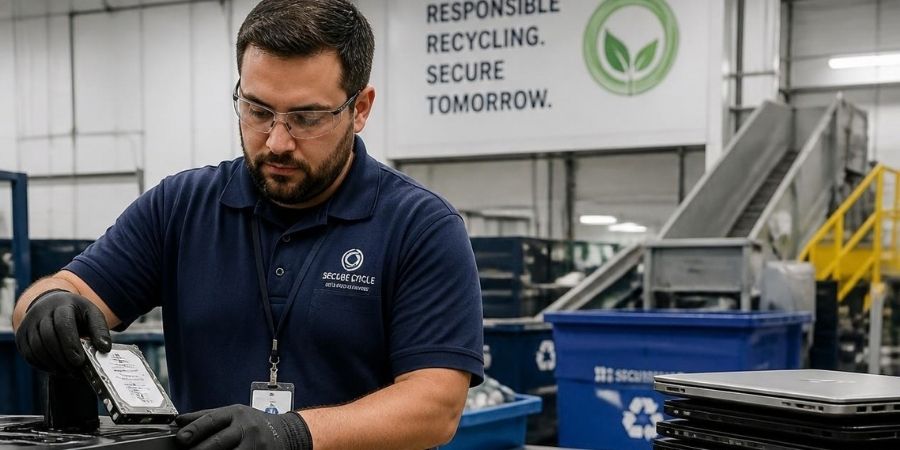
When a company replaces an old laptop, retires a server, or disposes of a hard drive, the device itself may no longer be useful. The information stored on it is a different matter.
Deleting files, emptying the recycle bin, or even formatting a drive does not automatically mean that sensitive information can no longer be recovered. Depending on the storage technology and the method used, data may remain accessible after a device appears to have been cleaned.
That is why data destruction is an important part of responsible IT asset disposal.
For businesses, secure data destruction is not simply about getting rid of old files. It is about making sure sensitive information is properly removed or the storage media is rendered unusable before the equipment is reused, resold, recycled, or discarded.
So, what exactly is data destruction? How is it different from simply deleting data? And what should businesses consider before disposing of old IT equipment?
Let’s take a practical look.
What Is Data Destruction?
Data destruction is the process of removing data from a storage device in a way that prevents unauthorized recovery of that information.
The appropriate method depends on the type of storage media, the sensitivity of the information, the intended future use of the device, and the organization’s security requirements.
Storage media can include:
- Hard disk drives (HDDs)
- Solid-state drives (SSDs)
- Laptops and desktop computers
- Servers
- USB drives
- Memory cards
- Smartphones and tablets
- Backup media
- Other devices containing digital storage
NIST’s current SP 800-88 Revision 2 describes media sanitization as a process designed to make access to target data infeasible for a given level of effort. It also emphasizes selecting sanitization methods based on the sensitivity of information and the characteristics of the media.
This is an important distinction. Secure data disposal is not necessarily about physically destroying every device. Sometimes a suitable sanitization method can allow a device to remain usable.
Why Is Data Destruction Important for Businesses?
Think about what can be stored on an ordinary company laptop.
It could contain employee information, customer records, financial documents, business correspondence, passwords, internal reports, software credentials, or confidential project files.
Now imagine that laptop leaves the organization without its stored data being properly sanitized.
The problem is no longer the old laptop. The problem is the information that may still be inside it.
NIST notes that residual data can sometimes be recovered from storage media even after information has supposedly been deleted. Its guidance was developed to help organizations choose appropriate sanitization methods based on the confidentiality of their information.
For this reason, secure data destruction should be considered as part of the IT asset lifecycle, especially when equipment is being retired or transferred outside the organization.
Data Deletion vs. Data Destruction: What’s the Difference?
These terms are often used interchangeably, but they are not the same.
Data Deletion
Deleting a file usually removes the operating system’s reference to that file. Depending on the storage system and circumstances, the underlying data may still be recoverable.
Data Destruction
Data destruction or media sanitization uses an appropriate technique to make the information inaccessible or impractical to recover according to the required level of assurance.
NIST’s current guidance describes sanitization in terms of making access to target data infeasible for a defined level of effort.
In simple terms:
Delete a file: The file appears to be gone.
Securely sanitize or destroy the media: The objective is to prevent the underlying information from being recovered.
That difference matters when a device is leaving the control of a business.
What Are the Main Methods of Data Destruction?
There is no single method that is suitable for every storage device.
The correct approach depends on the media and the security requirements.
1. Secure Data Erasure
Specialized software can be used to sanitize supported storage media.
This approach can be useful when the device is intended for reuse or remarketing and the organization wants to retain the physical device.
However, the technique must be appropriate for the particular storage technology. An approach that works for one type of drive may not provide the same result on another.
2. Cryptographic Erasure
Some modern storage environments use encryption, and cryptographic erasure can be used in appropriate circumstances by removing or rendering inaccessible the cryptographic keys needed to access the encrypted information.
NIST’s current SP 800-88 Rev. 2 includes cryptographic erase among media sanitization techniques.
Whether this is appropriate depends on how encryption was implemented and the organization’s security requirements.
3. Physical Destruction
When a storage device cannot be reliably sanitized for its intended disposition, physical destruction may be appropriate.
Methods can include processes such as shredding, disintegration, or other controlled destruction techniques. NIST’s guidance identifies destruction as a sanitization option for situations where the media needs to be rendered unusable.
Physical destruction can be particularly relevant for damaged drives, failed storage media, or devices containing highly sensitive information where reuse is not required.
How Does the Data Destruction Process Work?
A professional data destruction process should not begin by simply pressing “delete.”
It should begin with understanding what assets are being handled and what information they may contain.
A typical process may include:
Step 1: Asset Identification
Devices are identified and recorded before processing.
This can include laptops, desktops, servers, hard drives, SSDs and other storage devices.
Step 2: Data and Device Assessment
The storage technology and condition of the device are assessed.
The organization can then determine an appropriate sanitization or destruction method.
Step 3: Selecting the Appropriate Method
Depending on the device and security requirements, the process may involve secure erasure, cryptographic erasure or physical destruction.
NIST recommends making sanitization decisions according to the media type and the sensitivity of the information involved.
Step 4: Data Sanitization or Destruction
The selected method is performed under controlled procedures.
For organizations handling large numbers of devices, maintaining an asset-level record can also help create a clear chain of custody.
Step 5: Verification and Documentation
A professional process should include appropriate verification and documentation.
This is particularly useful for businesses that need an auditable record showing how retired IT assets were handled.
Step 6: Reuse, Remarketing or Recycling
Once the data risk has been addressed, equipment can move to the next stage of its lifecycle.
Depending on its condition, an asset may be reused, refurbished, remarketed, dismantled, or sent for responsible recycling.
This is where data destruction and IT Asset Disposition (ITAD) naturally connect.
Why Data Destruction Is an Important Part of ITAD
IT Asset Disposition is the process of managing IT equipment when it reaches the end of its useful business life.
But an old computer is not simply an electronic item waiting to be recycled.
It may also be a storage device containing business information.
A responsible ITAD process therefore needs to consider both sides:
Asset: What should happen to the physical equipment?
Data: What should happen to the information stored on it?
For example, an organization may retire 200 laptops after a technology upgrade. Sending those laptops directly for resale without first addressing the stored information creates an unnecessary security risk.
A structured ITAD process can instead include asset tracking, data sanitization, appropriate disposition and responsible recycling.
For businesses looking at the complete lifecycle of retired IT equipment, BRP Infotech’s IT Asset Disposition service can be relevant alongside its data destruction solutions.
Common Data Destruction Mistakes Businesses Make
Many data disposal problems start with simple assumptions.
Assuming “Delete” Means “Gone”
Deleting files is not automatically equivalent to securely sanitizing storage media.
Formatting Every Drive the Same Way
Different storage technologies behave differently. A method suitable for one device should not automatically be assumed to work for another.
Ignoring SSDs
Solid-state drives use flash storage and have characteristics that differ from traditional hard disk drives. Data sanitization decisions should therefore account for the specific media technology.
Forgetting Embedded Storage
Modern devices can contain more than one location where information may reside. Some systems can contain embedded flash storage or other components capable of holding sensitive information. NIST’s guidance specifically discusses embedded flash memory and the need to consider relevant interfaces and storage components.
Losing Track of Devices
If an organization cannot determine which device was sanitized, when it was processed, or what happened afterward, the process becomes much harder to audit.
Destroying Devices Without a Need
Physical destruction is not automatically the right choice for every asset.
If a device can be securely sanitized and responsibly reused, destruction may eliminate the opportunity for further use of that equipment.
The right approach depends on the security requirements and the device.
Best Practices for Secure Data Disposal
Businesses can make their data disposal process more reliable by following a few practical principles.
Create a Clear Disposal Policy
Define what should happen when laptops, servers, storage drives and other IT equipment are retired.
Classify Sensitive Information
The more sensitive the information, the more carefully the organization should consider its sanitization requirements.
Match the Method to the Media
Do not treat HDDs, SSDs, USB drives and other storage technologies as if they all behave in exactly the same way.
Maintain Asset Records
Record relevant details such as asset identification, processing status and final disposition.
Use Appropriate Verification
A sanitization process should include appropriate verification rather than relying only on an assumption that the process worked.
Keep Documentation
Documentation can provide useful evidence that retired assets went through the intended process.
Combine Security With Responsible Recycling
Once data has been securely addressed, the physical equipment should still be handled responsibly.
This is particularly important because India’s E-Waste (Management) Rules, 2022 establish requirements for the environmentally sound management of covered electrical and electronic equipment and e-waste. The rules came into force on April 1, 2023.
When Should a Business Consider Professional Data Destruction?
Professional support can become useful when a company is handling:
- Large numbers of retired computers
- Old servers and storage equipment
- Employee laptops
- Used hard drives and SSDs
- Devices containing customer information
- Equipment being transferred to another organization
- IT assets being prepared for resale or recycling
- End-of-life equipment requiring documented disposal
It becomes especially valuable when a business needs more than simply removing files. Asset tracking, controlled handling, appropriate sanitization, documentation and responsible downstream processing can all be part of a well-managed disposition process.
Data Destruction and Responsible E-Waste Management
Data security should not be separated completely from environmental responsibility.
A company may securely erase a laptop and still need to decide what happens to the physical device afterward.
If it can be reused, refurbishment or remarketing may extend its useful life.
If it has reached the end of its usable life, responsible recycling can help recover materials while keeping the equipment within an appropriate waste-management process.
This is why data destruction, ITAD and e-waste management often work together rather than as completely separate activities.
The goal is not just to remove data or get rid of old equipment. It is to manage the entire transition from an active IT asset to its next appropriate stage.
How BRP Infotech Can Help
For organizations retiring IT equipment, data security needs to be considered before the equipment leaves their control.
BRP Infotech provides Data Destruction solutions as part of its broader IT asset and e-waste management services. Depending on the asset and the organization’s requirements, professional handling can help businesses manage retired equipment more systematically while addressing the data stored on those devices.
For organizations managing end-of-life IT assets, BRP Infotech’s IT Asset Disposition (ITAD) service can also be considered as part of a broader asset-disposition process.
The important point is to treat data destruction as a planned part of asset disposal, rather than something to think about after the device has already left the organization.
Frequently Asked Questions
What is data destruction?
Data destruction is the process of removing information from storage media in a way that prevents unauthorized recovery according to the required level of assurance.
Is deleting a file the same as data destruction?
No. Deleting a file generally removes its reference from the operating system, while secure data sanitization or destruction is intended to make the underlying information inaccessible according to the selected method and requirements.
Can data be recovered from a formatted hard drive?
Depending on the method used, formatting does not necessarily provide the same level of assurance as a purpose-designed sanitization process. The appropriate method depends on the storage technology and the required security level.
What is the difference between data wiping and physical destruction?
Data wiping uses a logical or software-based method to sanitize supported media while potentially allowing the device to remain usable. Physical destruction renders the storage media unusable and is appropriate for situations where destruction is required.
Is data destruction part of ITAD?
It can be. A complete ITAD process may include asset identification, data sanitization, refurbishment, resale, recycling and final disposition.
Should businesses destroy every old hard drive?
Not necessarily. The appropriate method depends on the sensitivity of the information, the type and condition of the storage media, and whether the device needs to be reused. NIST’s guidance emphasizes selecting sanitization methods according to these factors.
Why is documentation important in data destruction?
Documentation helps an organization maintain a record of what happened to its retired assets and supports accountability throughout the disposal process.
Conclusion
Old IT equipment can still contain information long after it has stopped being useful to a business.
That is why secure data disposal should be treated as an important part of the IT asset lifecycle. Simply deleting files or handing over old equipment without considering the stored information can leave unnecessary security gaps.
The appropriate solution depends on the device, the sensitivity of the information and what will happen to the equipment next. Secure erasure, cryptographic erasure and physical destruction can each have a role when used appropriately.
For businesses, the bigger picture is straightforward: secure the data first, then manage the physical asset responsibly.
If your organization is retiring computers, servers, hard drives or other IT equipment, BRP Infotech can support the data destruction and IT asset disposition process while connecting it with responsible e-waste management.